

Blink Basket
AutoCAD सीखें Step-by-Step – Complete Practical Master Guide
AutoCAD सीखें Step-by-Step – Complete Practical Master Guide
Couldn't load pickup availability
Key Benefits
Key Benefits
Thoughtfully selected for everyday usefulness, practicality and value. We focus on finds that are genuinely useful rather than simply following trends.
Why Shop Nexoria
Why Shop Nexoria
We carefully select useful finds across everyday categories, focusing on products that offer a good balance of usefulness, quality and value.
Our Promise
Our Promise
Every Nexoria find is chosen with care. We aim to offer useful products, a smooth shopping experience and straightforward support whenever you need it.
- Customer Support
- Easy Returns
- Secure Shipping
AUTOCAD MASTER GUIDE
क्या AutoCAD शुरू करने के बाद समझ नहीं आता कि कहाँ से शुरुआत करें?
Commands याद हैं, लेकिन actual drawing कैसे बनानी है? Layers, Dimensions, Hatch, Blocks, Layout, PDF और House Plan में confusion होता है?
यह practical learning guide Absolute Beginners, Civil/Diploma Students, Architecture और Interior Design Beginners के लिए तैयार की गई है।
🔥 सिर्फ Commands नहीं — Practical Workflow सीखें
इस guide में step-by-step सीखें:
- AutoCAD Interface & Workspace
- Drawing Setup, Units & Coordinates
- LINE, PLINE, CIRCLE, ARC, RECTANGLE
- OFFSET, TRIM, EXTEND, MOVE, COPY
- Precision Drafting & OSNAP
- Layers & Properties
- Text, Dimensions & Annotation
- Hatch, Blocks & Reusable Components
- Civil & Architectural Drafting
- Residential House Planning
- Stairs, Sections & Elevations
- Layout, Scale, Printing & PDF
- Productivity & Troubleshooting
- Practical Exercises
- Final Residential House Plan Project
- Command Cheat Sheet & Shortcuts
🎯 Complete House Plan Project
सिर्फ theory नहीं — एक illustrative residential house plan को step-by-step follow करें।
सीखिए → Practice कीजिए → अपना drawing workflow develop कीजिए।

📚 16 Chapters — Complete Learning Roadmap
01 — Foundation
Chapter 1: Introduction to AutoCAD
Chapter 2: Interface & Workspace
Chapter 3: Drawing Setup, Units & Coordinates
02 — Draw & Edit
Chapter 4: Basic Drawing Commands
Chapter 5: Modify Commands
Chapter 6: Precision Drafting
03 — Organise
Chapter 7: Layers & Properties
Chapter 8: Text, Dimensions & Annotation
Chapter 9: Hatch, Blocks & Reusable Components
04 — Apply
Chapter 10: Civil Drafting & Architectural Elements
Chapter 11: Complete House Plan — Step by Step
Chapter 12: Stairs, Sections & Elevations
05 — Deliver
Chapter 13: Layout, Scale, Printing & PDF
Chapter 14: Productivity & Troubleshooting
06 — Practice
Chapter 15: Practical Exercises
Chapter 16: Final Residential House Plan Project
Additional reference materials:
- Command Cheat Sheet
- Essential Shortcuts
- CAD Glossary
- Common Beginner Mistakes
- 8-Week Practice Roadmap
- Final Revision Checklist
- Quick Navigation Guide
👨🎓 किसके लिए है?
- AutoCAD बिल्कुल शुरुआत से सीखने वाले
- Civil Engineering / Diploma Students
- Architecture और Interior Design Beginners
- 2D Drafting सीखने वाले
- Residential House Planning समझने वाले
- Commands के साथ Practical Drawing करने वाले
Guide को इस तरह structure किया गया है कि beginners भी foundation से आगे बढ़कर step-by-step practice कर सकें।
💡 हर Lesson में क्या मिलेगा?
एक structured learning + practice workbook की तरह अपनी pace पर सीखें और concepts को दोबारा reference करें।
🎁 Bonus Resources — Excel Workbook Free
📦 What You'll Get
⭐ Learner Feedback
“AutoCAD पहले काफी complicated लगता था, लेकिन इस guide में commands को बहुत आसान तरीके से explain किया गया है। House planning वाला practical part बहुत useful लगा.”
Rahul Sharma, Jaipur“मुझे AutoCAD basics clear करने थे और यह guide काफी helpful रही। Practical examples और exercises की वजह से concepts जल्दी समझ आए.”
Pooja Verma, Delhi“Beginner के लिए बहुत अच्छी book है। 2D drafting, commands और architectural drawings step-by-step समझाए गए हैं.”
Amit Kumar, Lucknow“Theory के साथ practical house planning पर focus अच्छा है। Hindi + English combination होने से समझना और आसान हो गया.”
Vikas Singh, Patna❓ Frequently Asked Questions
क्या यह AutoCAD Guide Beginners के लिए है?
हाँ। इसे absolute beginners, Civil/Diploma students और 2D drafting सीखने वालों के लिए step-by-step learning roadmap के रूप में तैयार किया गया है।
क्या मुझे AutoCAD पहले से आना जरूरी है?
नहीं। Guide की शुरुआत Introduction, Interface, Workspace और Drawing Setup जैसे foundation topics से होती है।
इस Guide में सिर्फ Commands हैं या Practical Work भी है?
इसमें drawing और modify commands के साथ practical tips, exercises, self-checks और complete residential house plan project भी शामिल है।
क्या इस Guide से House Plan बनाना सीख सकते हैं?
इसमें एक illustrative residential house plan का step-by-step workflow दिया गया है, जिसमें plot boundary, walls, doors, windows, rooms, dimensions, labels, hatch और PDF-ready sheet शामिल हैं।
क्या इसमें Layers, Dimensions, Hatch और Blocks भी हैं?
हाँ। इन सभी topics के लिए dedicated learning chapters शामिल हैं।
क्या इसमें Practical Exercises हैं?
हाँ। Guide में practical exercises, practice tasks और final residential house plan project शामिल हैं।
क्या इसमें Printing, Layout और PDF बनाना भी सिखाया गया है?
हाँ। Layout, Scale, Printing & PDF पर dedicated chapter शामिल है।
Guide में कितने resources हैं?
इस product में 6 resources हैं और listed total file size 11.01 MB है।
क्या यह सिर्फ Theory है?
नहीं। इसमें concepts, commands, step-by-step processes, practical tips, common mistakes, practice tasks और self-checks दिए गए हैं।
Start Your AutoCAD Learning Journey
एक बार खरीदें • अपनी pace पर सीखें • बार-बार reference करें
Build your drafting foundation, one command at a time.
↑ BACK TO PRODUCT IMAGE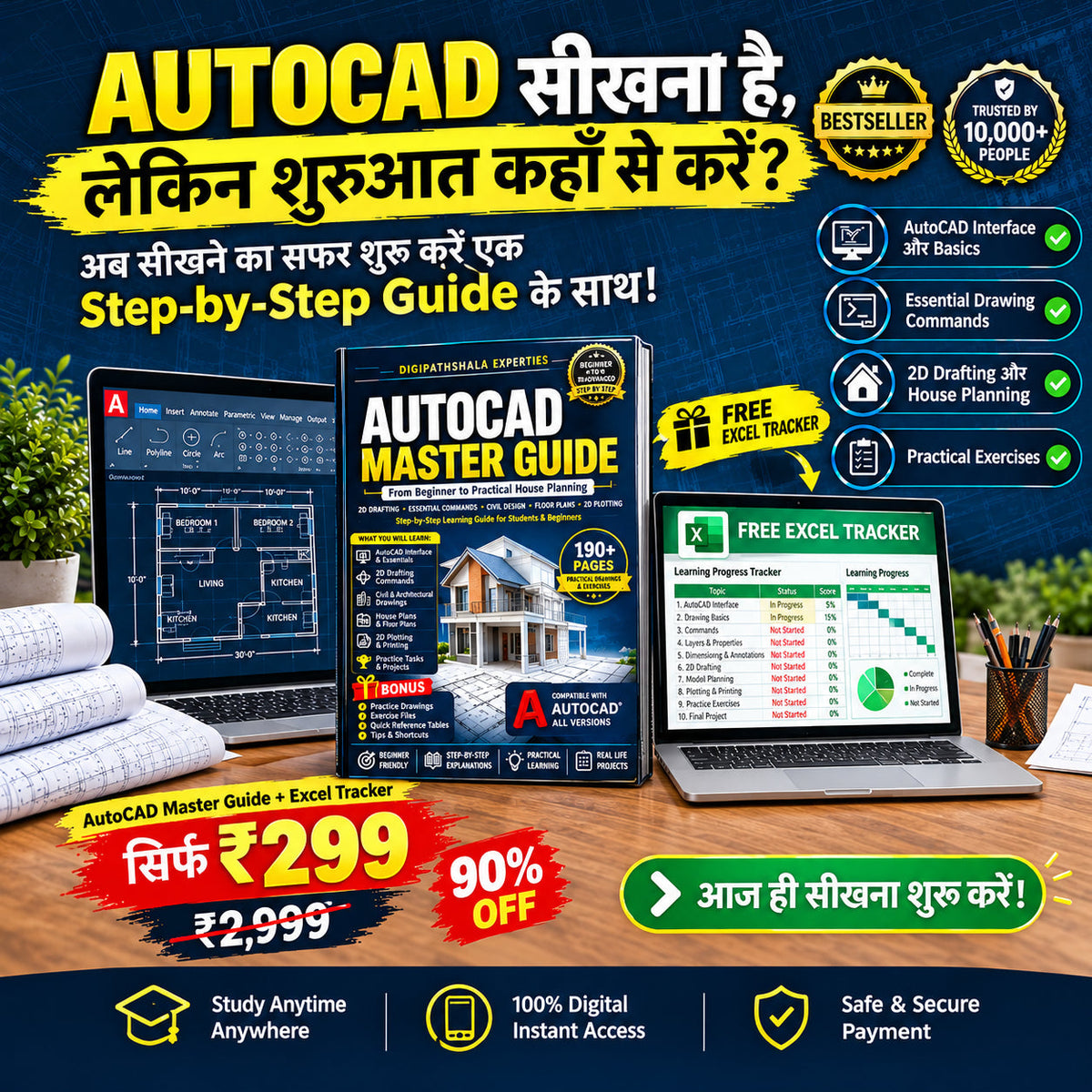
LOVED BY AutoCAD सीखें Step-by-Step – Complete Practical Master Guide SHOPPERS
See what shoppers think about AutoCAD सीखें Step-by-Step – Complete Practical Master Guide.